
Screenshots

App details
- Updated
- Jul 30, 2025
- Language
- English
- Developer
- Devart
- Category
- Mobile
SoftPas in:
This product is also available in the following languages:
About dbForge Studio for PostgreSQL
Download dbForge Studio for PostgreSQL – PostgreSQL, database management, SQL editor, data analysis, database development, database tool, GUI tool, PostgreSQL IDE
Overview
dbForge Studio for PostgreSQL is a robust, feature-rich graphical user interface (GUI) tool tailored for database developers and administrators working with PostgreSQL. Designed as an integrated development environment (IDE), it streamlines the entire lifecycle of database development, from writing and executing SQL queries to managing complex data structures and reporting. The tool addresses common challenges in database management, such as inefficient query performance, cumbersome data migration, and limited visualization capabilities, by offering a centralized platform for all PostgreSQL-related tasks.
Target users include database professionals, software engineers, data analysts, and system administrators who require a reliable and efficient solution for managing PostgreSQL databases. The application is particularly valuable in environments where consistent data integrity, rapid query execution, and advanced reporting are critical. While the developer, Devart, is known for delivering high-quality database tools, specific details about the company’s background were not provided in the available information.
Real-world use cases include migrating data between systems, optimizing complex SQL scripts, generating reports for business intelligence, and maintaining master-detail relationships in enterprise databases. Within the broader app ecosystem, dbForge Studio for PostgreSQL fills a niche for specialized, high-performance tools that enhance developer productivity and data accuracy. Its presence underscores the growing demand for sophisticated database utilities in modern software development workflows.
Key Features & Functionality
- Intuitive Interface: The tool features a clean, organized layout that simplifies navigation and reduces the learning curve for new users. Tasks such as connecting to a PostgreSQL server, writing queries, and managing schemas are accessible through clearly labeled menus and toolbars.
- Advanced Code Editing: Users can write, edit, and optimize SQL code with syntax highlighting, code completion, and formatting tools. This functionality supports efficient development and reduces the risk of errors in complex queries.
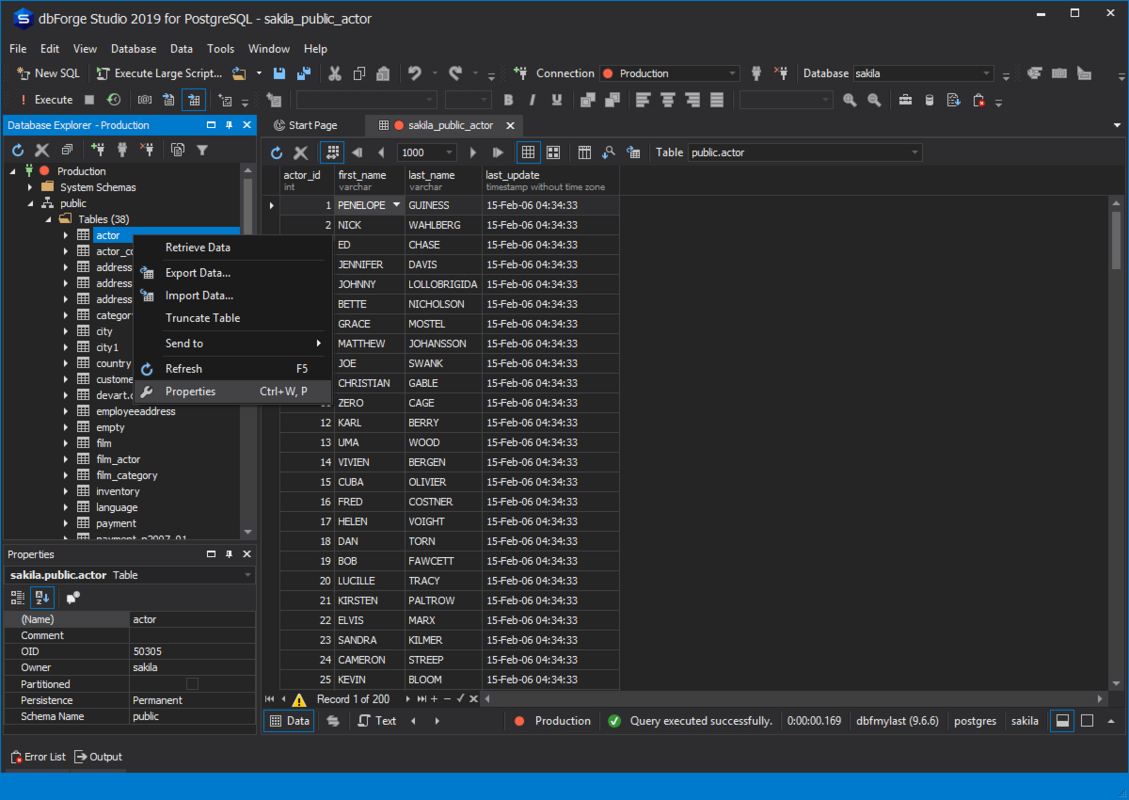
- Data Reporting and Editing: The application enables users to view, modify, and analyze data directly within the interface. This includes filtering, sorting, and real-time updates, allowing for quick data validation and adjustment.
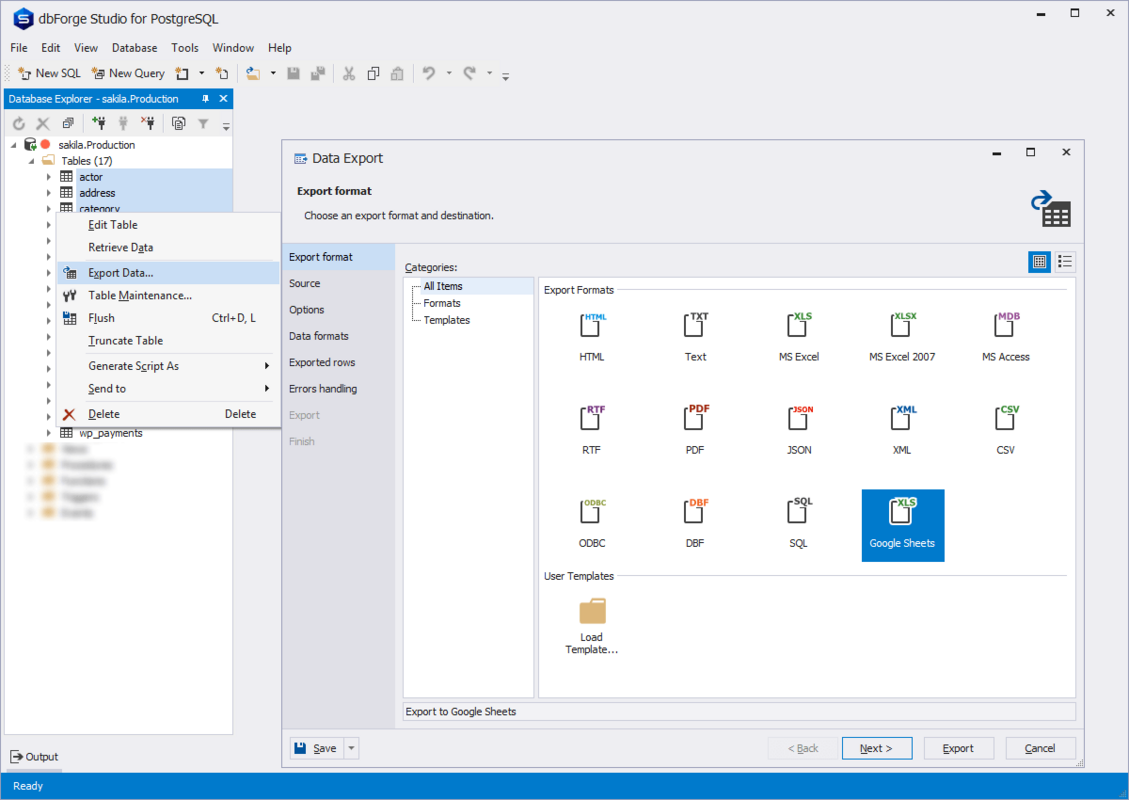
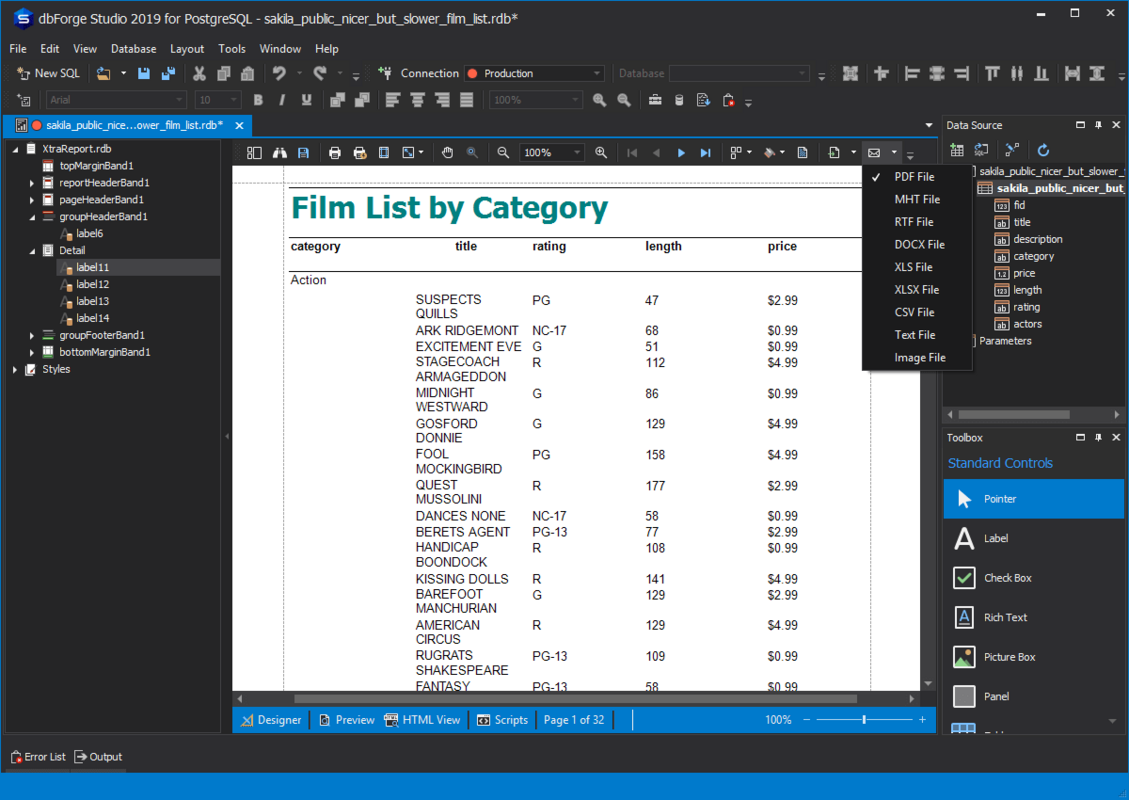
- Data Import and Export: Built-in support for importing data from various sources (e.g., CSV, Excel, JSON) and exporting to multiple formats ensures seamless data integration and migration across platforms.
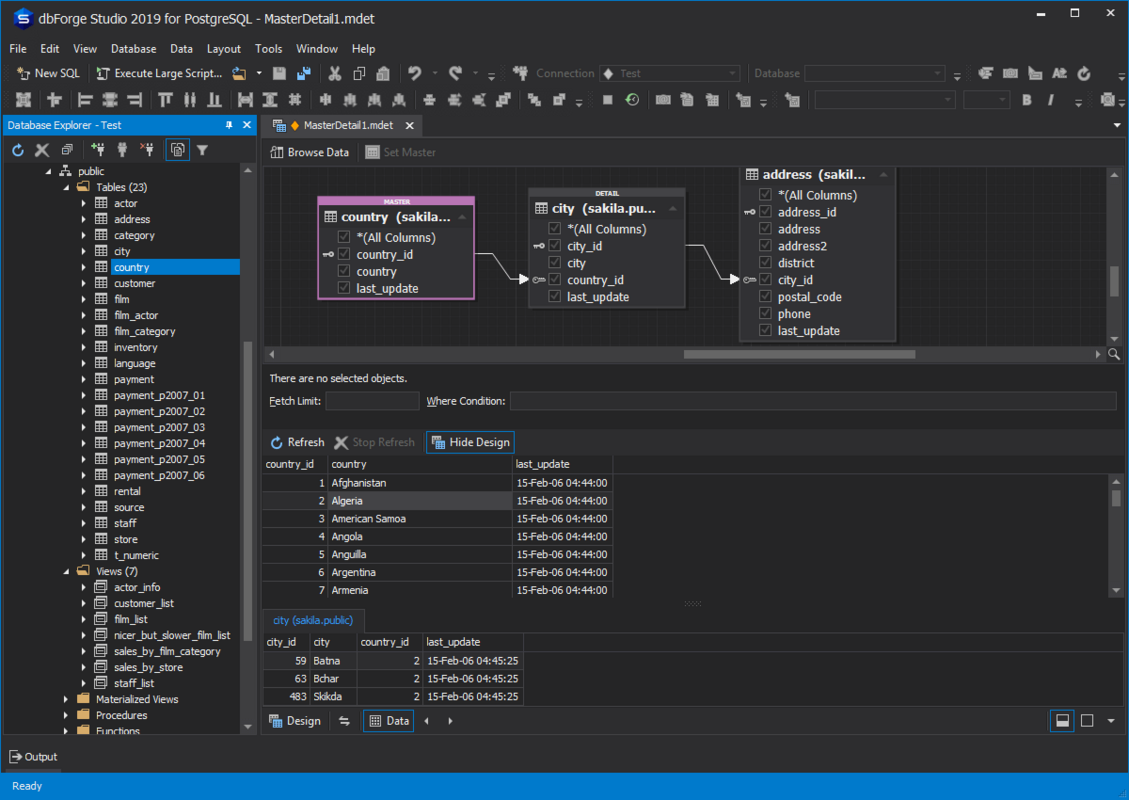
- Pivot Tables and Master-Detail Relations: These features allow users to summarize and visualize data in hierarchical structures, making it easier to identify trends and relationships in large datasets.
For example, a data analyst can use pivot tables to compare sales performance across regions and time periods, while a developer can leverage code editing tools to refactor a stored procedure. These capabilities collectively enhance productivity and decision-making in database-driven environments.
Interface, UX & Performance
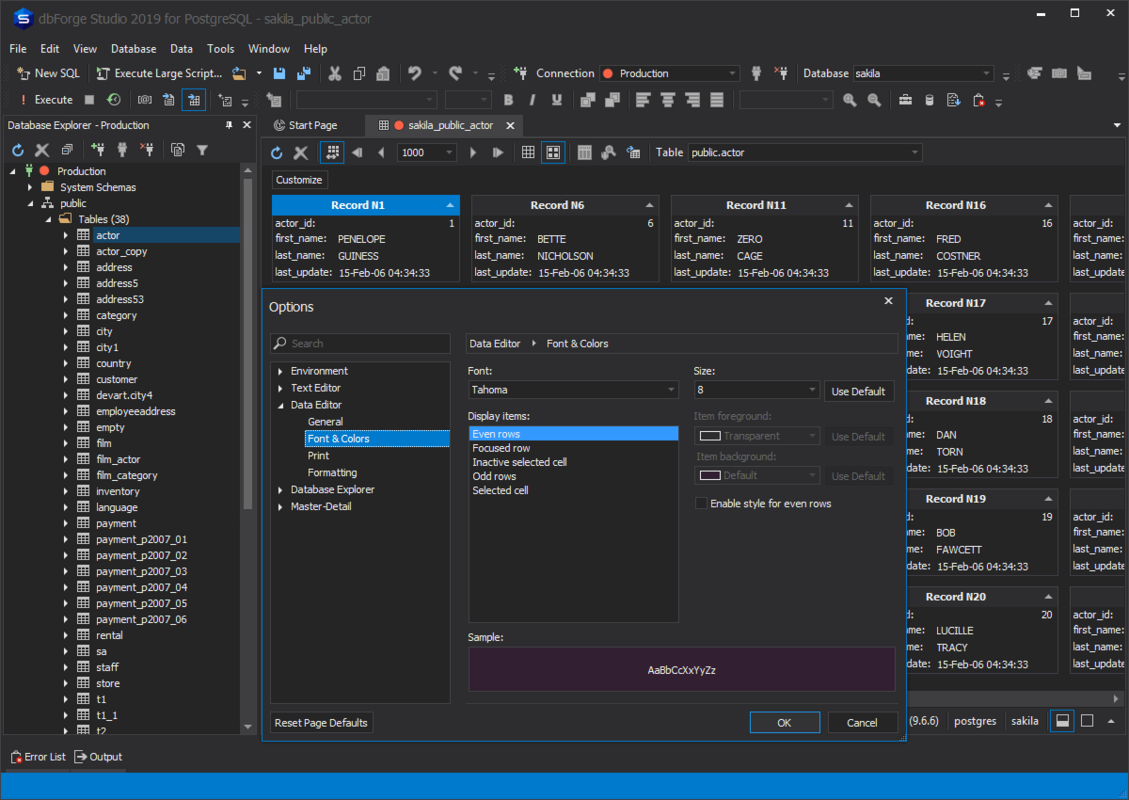
The user interface of dbForge Studio for PostgreSQL is designed with usability in mind, offering a modular layout that supports customizable workspaces. Users can arrange panels for query execution, results display, database objects, and code editing according to their workflow preferences. The visual style is professional and minimalistic, reducing visual clutter and improving focus during development tasks.
Navigating through the tool is straightforward, with logical menu hierarchies and context-sensitive actions. For instance, right-clicking on a table opens a menu with relevant options such as view data, generate scripts, or edit structure. The tool maintains responsiveness even when handling large datasets or complex queries, though specific performance metrics were not disclosed.
Although the developer did not list formal performance metrics, the application is expected to perform efficiently on modern Windows systems with adequate RAM and processing power. Stability during extended use and compatibility with various PostgreSQL versions were not explicitly detailed. However, the tool’s design suggests it is built for reliability in professional environments.
Platform Compatibility & Technical Requirements
dbForge Studio for PostgreSQL is available exclusively for the Windows operating system. It requires a Windows-based machine to function, with no information provided on specific OS versions or hardware requirements. The application has a file size of 107.4 MB, indicating a relatively lightweight installation compared to full-fledged database servers.
The software version is 5.0.1, released on May 15, 2024. While the developer did not specify minimum OS requirements or compatibility details beyond the platform, users are advised to ensure their system meets standard Windows application requirements for optimal performance. No information was provided regarding support for older Windows versions or alternative platforms such as macOS or Linux.
Pros and Cons
Pros
- Comprehensive set of tools for PostgreSQL database development and management
- Intuitive interface reduces onboarding time for new users
- Advanced code editing with syntax highlighting and auto-completion
- Robust data import/export capabilities support cross-platform data integration
- Supports pivot tables and master-detail relations for enhanced data analysis
Cons
- Available only on Windows, limiting accessibility for macOS and Linux users
- Price point of $199.00 may be prohibitive for individual developers or small teams
- Specific technical requirements and compatibility details were not disclosed
- No information provided on automatic update mechanisms or cloud integration
- Developer did not share details on customer support or documentation availability
FAQ
Is dbForge Studio for PostgreSQL available for macOS or Linux?
The application is currently available only for Windows. No versions for macOS or Linux were listed in the provided information.
Can I use dbForge Studio for PostgreSQL with different PostgreSQL versions?
While the tool is designed to support PostgreSQL databases, specific version compatibility details were not provided by the developer.
Is there a free version or trial available?
Information about a free version or trial was not included in the available data. The app is listed at a price of $199.00.
How often are updates released?
The release date of the current version is May 15, 2024. No information was provided on update frequency or release cycle.
Is the app secure for handling sensitive database data?
As a desktop application, dbForge Studio for PostgreSQL operates locally, reducing exposure to external threats. However, specific security protocols or data encryption features were not detailed.
Final Thoughts
dbForge Studio for PostgreSQL stands out as a powerful, professional-grade tool for developers and administrators managing PostgreSQL databases. Its comprehensive feature set, intuitive interface, and strong focus on productivity make it a compelling choice for teams requiring advanced database management capabilities. While its Windows-only availability and high price point may limit accessibility, the tool delivers significant value for users who prioritize efficiency, accuracy, and advanced data analysis features.
For database professionals, software engineers, and data analysts working in PostgreSQL environments, dbForge Studio offers a reliable, all-in-one solution that enhances workflow efficiency and data integrity. Its support for code optimization, data visualization, and seamless data transfer strengthens its position in the database development ecosystem.
Download dbForge Studio for PostgreSQL now
Guides & Tutorials
How to install dbForge Studio for PostgreSQL
- Click the Download button above.
- Once redirected, accept the terms and click Install.
- Wait for the dbForge Studio for PostgreSQL download to finish on your device.
How to use dbForge Studio for PostgreSQL
This software is primarily used for its core features described above. Open the app after installation to explore its capabilities.
User Reviews
No reviews yet. Be the first to share your experience.
You may also like
more
Que no te pillen¡
About !Que no te pillen¡Reviewed by Jason A. BilbreyShow MoreShow Less

3D Combat Zone
About 3D Combat ZoneOriginally released in 1983, 3D Combat Zone immerses players...

666: El día del portal
About 666: El día del portalOn June 6, 2006, Agent P. Stone uncovers a sinister...

80 in 1 Best Flash games
About 80 in 1 Best Flash games 80 in 1 Best Flash games is a collection of 80 fl...

ABYSS SEEKERーーWhat Do You See Deep in The Abyss
About ABYSS SEEKERーーWhat Do You See Deep in The AbyssIn ABYSS SEEKER, players...

ACA NEOGEO THE KING OF FIGHTERS 2002 for Windows
About ACA NEOGEO THE KING OF FIGHTERS 2002 for WindowsTHE KING OF FIGHTERS 2002,...